

Did you ever wish InDesign had the ability to number your lines? Well now it does with a little script!
“Number Lines by Style” is a script which allows you to add line numbers to text of specific styles. I works by adding anchored text frames at the start of each line. The script will number lines on the current page only.
“Number Lines by Style” was written in its original form for Koren Publishers we thank them for their consent to share it!
Please download the script from here.
Usage
- Place the script in your Scripts Panel folder
- Make sure the correct page is active
- Double click on the script in the Scripts Panel
- Select the style or styles to number and click OK.
Examples of Use
Here we have a shopping list of the most important things that you could possibly need. 😉
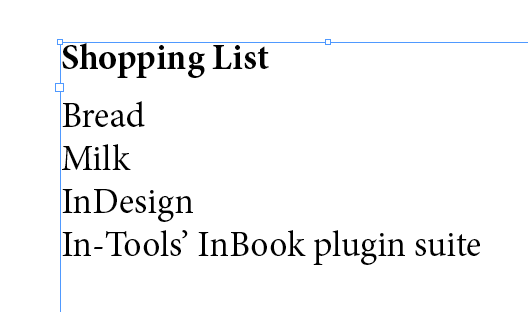
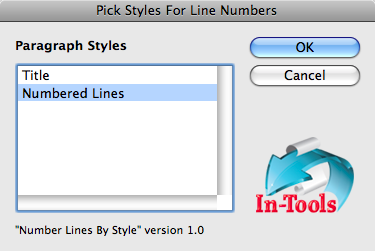
We want to number the list items, so we run the script, and select the Numbered Lines paragraph style:
Which numbers our items:
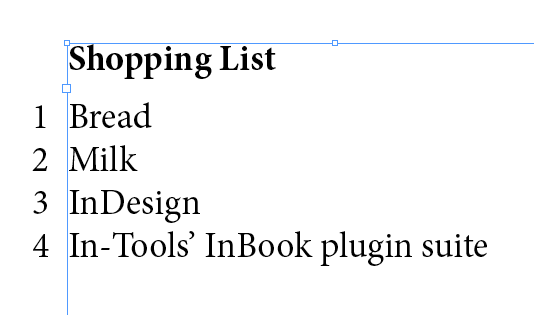
Of course the example is kind of silly, because we can just use paragraph numbers. The one situation similar to this, where you might want to use this script, is when you’d need the numbers outside the text frame.
A more classic example would be a sitaution where you’d need every line numbered, and the paragraphs are more than one line long:
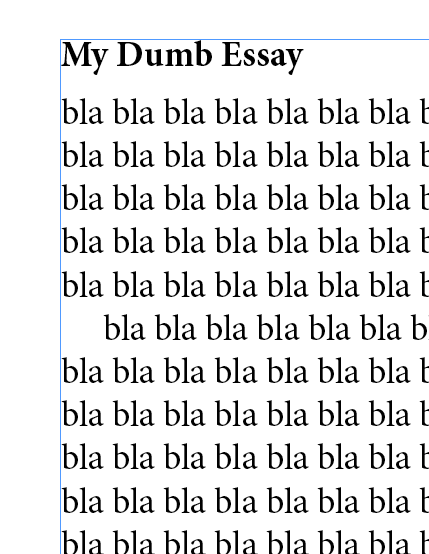
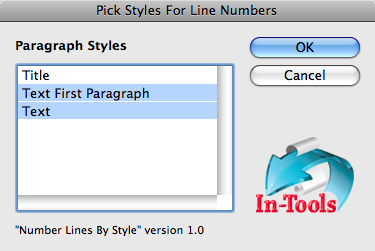
In this case, you’d run the script and select all the styles used in the essay:
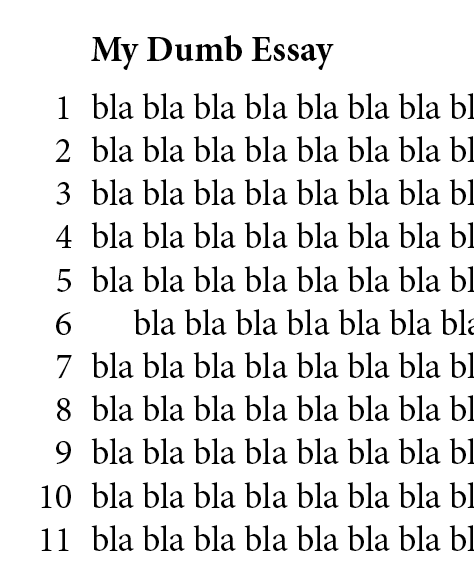
Presto! numbered lines:
- The script uses an object style for the anchored text frames, as well as a paragraph style for the numbers within the frame. You can adjust these styles to tweak the positioning and formatting of the numbers.
Have fun!
Tags: InDesign, Scripts
[…] can read more and download the script from this page on In-Tools […]
We’ve just uploaded version 1.0.1 which fixes a couple of bugs found by Caleb Clauset. (Thanks Caleb!)
[…] El script se puede bajar de la web de in-tools.com. […]
It’s very cool.
Can I talk about this script in a French blog?
very cool but it is numbering an empty line, I don’t like this way, on other hand I’m very happy to download this script I hope to find my idea come true.
this script must have some more options making us control the way numbering and start number value.
@ Pierre: No problem!
@ Mohamed: Great ideas! We’ll try to add those when we get a chance.
Thanks for this – is there any way to reverse it though? As in, I need line numbers in one version of the document that will go to a committee for revision, but I need to remove them before publication.
Thanks in advance!
You could do a search/replace to remove anchor markers if there’s no other markers in your story
I can’t seem to delete the numbers later when I no longer need them. Suggestions?
Seems it cannot see styles list in CS5 – the script window is empty
Hmm.
I haven’t yet tried in CS5. I’ll try to check it out…
I just tested in CS5, and it seems to work correctly.
Is it possible that the current page has no text?
It only displays paragraph styles which appear on the current page.
Keep on the good job! It’s very cool.
Hey Harbs, thanks for this little nifty script! I’ve got InDesign CS5 though and it doesn’t seem to work with this version. Am I doing something wrong here? Some of the pages don’t have any text yet. Could that be it?
In what way does it not work?
Is there some kind of error?
Any chance you have the option to start the numbering at a particular number? Thanks for the useful script.
Paragraph styles used in grouped objects (e.g., figure grouped with figure caption) do not appear in the Para styles list. At least in CS4. Otherwise great, have been looking for such a script for a long time.
@franza: Good point about nested objects. Nested object introduces considerable complexity — especially in regard to the numbering sequence. I’ll have to think about this…
I just tried this and it is great. One thing though I can’t get the numbers to flow onto the next page. I created a style just for line numbers and it still doesn’t work. Any suggestions?
@KC: The script works page-by-page. What are you trying to do exactly?
The should be implementing it standaard
Any chance you have the option to start the numbering at a particular number? Thanks for the useful script.
Paragraph styles used in grouped objects (e.g., figure grouped with figure caption) do not appear in the Para styles list. At least in CS4. Otherwise great, have been looking for such a script for a long time.
Should have known this about 2 months ago! lol
Does this also work in CS5?
Isn’t there any word from Adobe about this line numbering option? Shouldn’t they include it in a patch for CS5? I really do think so, because it seems pretty vital and makes readability a lot easier!
Great tool. I had this precise problem and this fixed it. I don’t know why InDesign doesn’t have this option in the Properties dialogue box. Thanks
I like the script – despite of the nested objects “problem” – but could you make it working for a whole document in one run and not page by page only? As it is now it is annoying to apply it on books or even on articles exceeding a few pages.
Many thanks,
Franz
If the script could be expanded to apply a unique condition tag to the anchors, the numbers could be shown and hidden without having to remove the anchors. If the unique condition doesn’t exist, the script could prompt the user to continue without it, create it for the user or to quit and let the user create it.
Regards,
Peter
Hi Peter,
Nice idea!
is there a way to remove what the script create without doing it by hand ? There’s no undo function. (for exemple, if you change your mind later).
Regards
No. There’s currently no undo function. It’s a good idea though…
The script is very helpful, but I am looking for something that can number every fifth line, and on multiple pages. My project is translating a play from French to English. Each page has two columns of text, one French and one English. Both columns link to their respective languages on the other pages. Any chance a multi-page, increment-of-five line numbering tool is in the works?
No. That’s beyond the scope of this simple script.
You can feel free to contact us about a custom solution though…
Dear Harb,
Hi my name is Katherine and I am working on a project very similar to Ian’s. Were you able to find any solution that allows you to number text every 5 lines? I don’t have 2 columns on the same page, so it’s just getting the line numbers every 5 lines that I am most concerned with. Any help would be so wonderful, thanks for your time!!
-Katherine
Just a quick note:
We just uploaded a version 1.0.2. There seemed to be a bug in one of the latest updates of InDesign CS5 (possibly 7.0.3 or 7.0.4) which broke the script.
We’ve worked around the problem.
Love the script, but is there any way to select a character style for the numbers to be and a way to select what side of the text box it should go on? I am working on a right to left document, but it is putting the numbers on the left side.
Also, i see a lot of user requested to be able to select where the numbers start – that would be great! What about if all the anchored text boxes were threaded to each other and had flowing numbers in them or maybe a numbered paragraph style where you can use iDesigns “restart numbering” option…
This may be a lot for a simple free script, but if it had enough robust features, i am sure many people would be willing to pay for it like a regular plug-in, i know i would!
Thanks for all your great solutions!
The numbers and the frames they reside in both have styles applied.
You can change the styling and position within those styles.
Hullo,
To follow up on what KC asked on 08/28/2010 – unless I’m using the script wrong, the line numbering restarts from 1 with each new text box, even if the text box is just a continuation of the previous text box’s content.
I have a report that will go over more than one page, is there a way to have the line numbering continuous? E.g. if the last line number on page one is 50, the next line number is 51 (not 1) on the next page?
Thanks.
Same here! The line numbering restarts every page even if the frame is continuing : (
The script works awesome! Should be built into InDesign with the option to restart or continue on each page.
Great Script!
For some reason I can not figure out, it occasionally changes
the line break (approx. 10% of the pages in a 350-p. book).
There’s nothing special with the paragraphs involved in this, tey are all formatted consistently…
Any Idea what this might be and how to prevent it?
best:
Mona Reich
How to remove the line numbers once applied?
You can either delete the text frames or the anchor markers. (You can use find/change to delete them.)
We have the following requirement:
1. The script should number the text lines only and not the tables/images,
2. It must insert the line numbers without asking for a prompt, Basically we need to be able to call this from InDesign Server CS5.5. Is that possible
Thanks
Soumendu
Thanks for this wonderful script. I’ll be passing this along to my design friends. Clients will also be happy to have the reference numbers. Reviews should now go more smoothly. Keep up the good work!